The writer’s guide
How to use Plotto
Plotto is a collection of situations and suggested connections. Use those connections to discover a story; adapt the characters, motives, and setting to suit your writing.
Build a masterplot
A masterplot has three clauses. The A clause describes the protagonist, the B clause starts and carries the action, and the C clause points toward an outcome. Clause letters describe parts of the story; character symbols A and B describe people.
- Choose one of 15 protagonist clauses, such as “A Person of Ideals.”
- Choose one of 62 action clauses, such as engaging in crafty enterprise for an unusual motive.
- Choose one of 15 outcome clauses, such as emerging from an ordeal with hard-won wisdom.
The B-clause index connects an action to its initial conflicts.
The app displays these clauses as one masterplot sentence and shows their A, B and C numbers. If you leave the protagonist open, it uses “Any Person.” If you leave the outcome open, it follows an exact, unambiguous entry in the book’s terminal-conflict index for the final complete linked situation, or uses “Meets any fate, good or evil” when no unambiguous indexed ending is available. Choosing a specific outcome makes the app prefer a compatible linked carry-on when one is available. B62 can be used with any conflict.
The sentence is a pattern to develop, not a claim that the three situations already form a finished story. The connection note says whether the book lists the final situation under the selected C clause. Otherwise, the outcome is marked as planned. Cook’s examples change, reject and adapt suggestions, and revise the C clause when the developing plot calls for a different ending.
Use the generator
Choose a theme and character-role edition, then select Generate an outline. Open “Shape the masterplot” to choose clauses, or leave them open. Give A and B names if you want them used in the outline.
The generator selects a main conflict and follows its lead-up and carry-on suggestions. Compound suggestions can add more than one situation. Use “Try another” to replace a linked stage, or open the linked alternatives and choose one yourself. “New main conflict” keeps explicitly chosen protagonist and outcome clauses; automatic choices follow the new situation and ending.
Search the collection by number or words and choose “Start here” to build around a particular conflict. An explicit starting conflict takes precedence over the theme and action filters. Copy the outline, download a text file, or copy a link that restores the same suggestions, edition, and names.
The selected C clause is a writing direction. A carry-on may suggest that ending, or introduce another complication that you will need to resolve.
Pick up where you left off
In “Your stories,” give the current story a title and use the saved-story picker to open another one. Changes save automatically, and “Save story” also saves pending generator settings. “New story” saves your current work before starting another outline. “Save a copy” creates a separate version. Each story keeps its own names, edition, suggestions and settings. Your previous saved outline is brought into the library as “My saved story.”
Return to the app to reopen the last selected story, including after restarting the browser. Shared links open a separate draft; saving or editing it adds a story to your library. Titles appear in copied text, downloads and shared links. The library stays in this browser; clearing site data removes it.
If saving fails, your current work stays open and switching is blocked. Use “Copy link” to keep the outline. If another tab changed the same story, “Save a copy” keeps both versions. An outdated story remains in the library while a new working story is shown; unreadable library data is left intact.
Read the connections
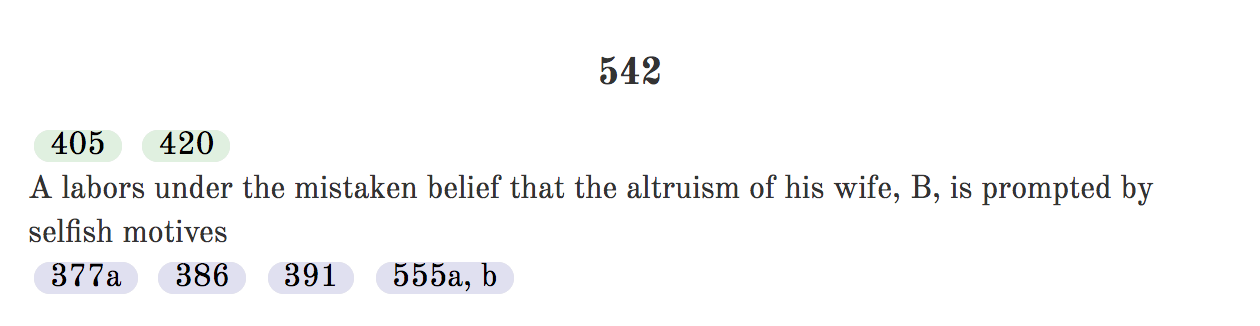
Suggestions above a conflict are lead-ups; those below it are carry-ons. For example, conflict 542 suggests 405 or 420 as a lead-up, and 377a, 386, 391, or 555a/b as a carry-on.
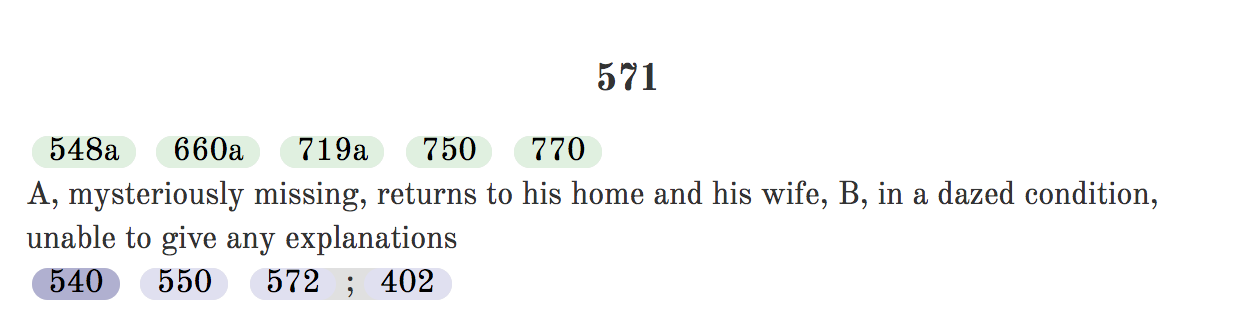
A semicolon means a sequence. Conflict 571 offers 572 followed by 402 as one compound carry-on. The word “or” introduces alternatives; the generator chooses one branch.
Use part of a conflict
Letters such as 538a identify variants. Stars divide a variant into sections: -* means from the beginning to the first star; *-** means between the first and second star. A suffix such as -2 selects the second numbered option, marked [2] in the text.
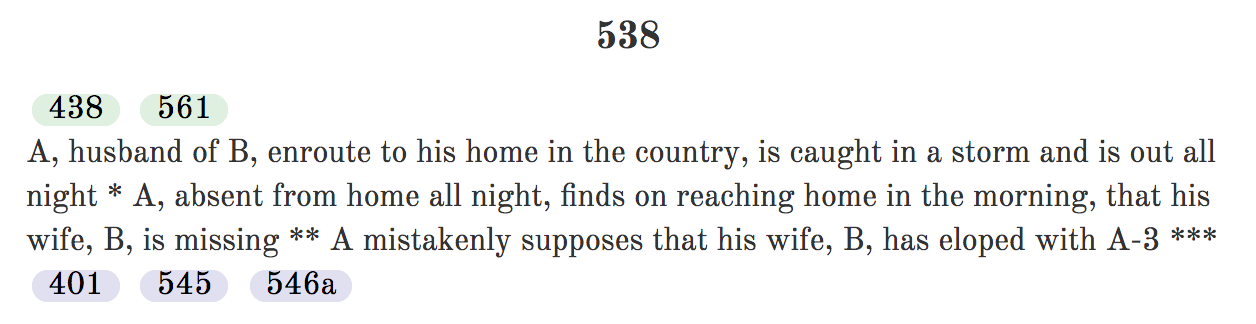
The generator applies these limits before displaying the selected suggestion. Every lead-up and carry-on variant is checked during the build. Section limits without matching markers remain excluded from automatic selection. A dagger in the reader marks an editorial repair; generated outlines link to the scan evidence and reasoning.
Adapt the cast
In the original edition, A is a male protagonist and B a female protagonist. A-2 is A’s male friend, A-3 a male rival, F-A A’s father, and M-A A’s mother. The character key explains the other symbols. The reversed-role edition changes gendered terms and family relationships throughout the text.
Open “Names & a starting conflict” to find all the character name fields together. A and B appear first, followed by symbols used in the outline, such as SN and A-3, with a short role description. “Name characters” above the outline opens this group. Enter a name to update the outline immediately, or leave the field blank to keep the symbol. Names stay with their symbols when you try another suggestion and are included when you copy, download, or share the outline.
Each story saves its own cast. Names you enter also become defaults for new stories. Clear a name field to forget that default, or select “Clear saved names” to clear the open story’s cast and the defaults. Other saved stories keep their cast. Shared links display their own names without replacing your defaults.
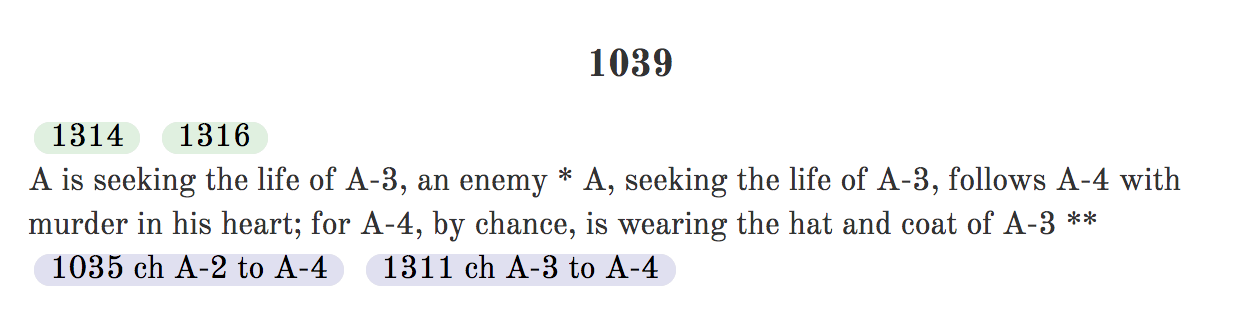
ch X to Y: replace X with Y.tr X & Y: swap X and Y.add X: include X as you develop the situation.eliminate X: remove the specified word or phrase.
Multiple character changes within one instruction are applied together, so changing A to A-8 and A-3 to A does not turn both people into A-8. Check pronouns and relationship descriptions as you adapt the cast. Instructions to add someone remain visible as notes because the book does not specify where that character should act.
About the source
William Wallace Cook published Plotto in 1928. Its language and depictions reflect that period, including racial prejudice and rigid gender roles. Both editions retain this material. Recast suggestions in terms that serve your story.
The digital text was cleaned by Gary Kacmarcik. The reference correction ledger records eight transcription fixes and sixteen editorial repairs of links already broken in print. It preserves the printed reference and the reason for each change, with links to the original scans at the Internet Archive.